ANNOUNCEMENTS
The September consolidated student billing is due Monday, October 12th.
The university provides payment flexibility, including two international payment options available through MyRED. Students are encouraged to compare the rates and methods offered by each to determine the best option for their situation. After completing the initial required fields, the payment methods available for your country will be displayed.
A new quote must be obtained each time payment is made or if the quoted time frame expires. Until your payment settlement is complete, the payment will show as PENDING and will not be seen in MyRED. Once the payment is received by our processor, it will be applied to your student account in MyRED.

Transact International Payments facilitated by TransferMate
Initiate a payment in MyRED or through your Authorized Payor account.
Select International Payment and your country. Without leaving the payment portal, choose from the presented international payment rates for your country.
Dedicated Support - Multilingual, 24/7 through TransferMate
Convera
Initiate a payment in MyRED or through your Authorized Payor account.
Select International Payment and your country. Choose Convera to be redirected to their site to complete payment.
How-to-Pay Videos:
NOTE: A Foreign Currency payment is a ‘pending’ payment and does not apply to your University of Nebraska –Lincoln student account until all of the following steps are completed.
STEP 1: LOGIN
Students – Login to MyRED. Click on the blue 'Pay Bill' link.
Parents/Others – Login to the UNL E-Payment System. (If you do not have Authorized Payor access, contact your student.)
STEP 2 MAKE A PAYMENT
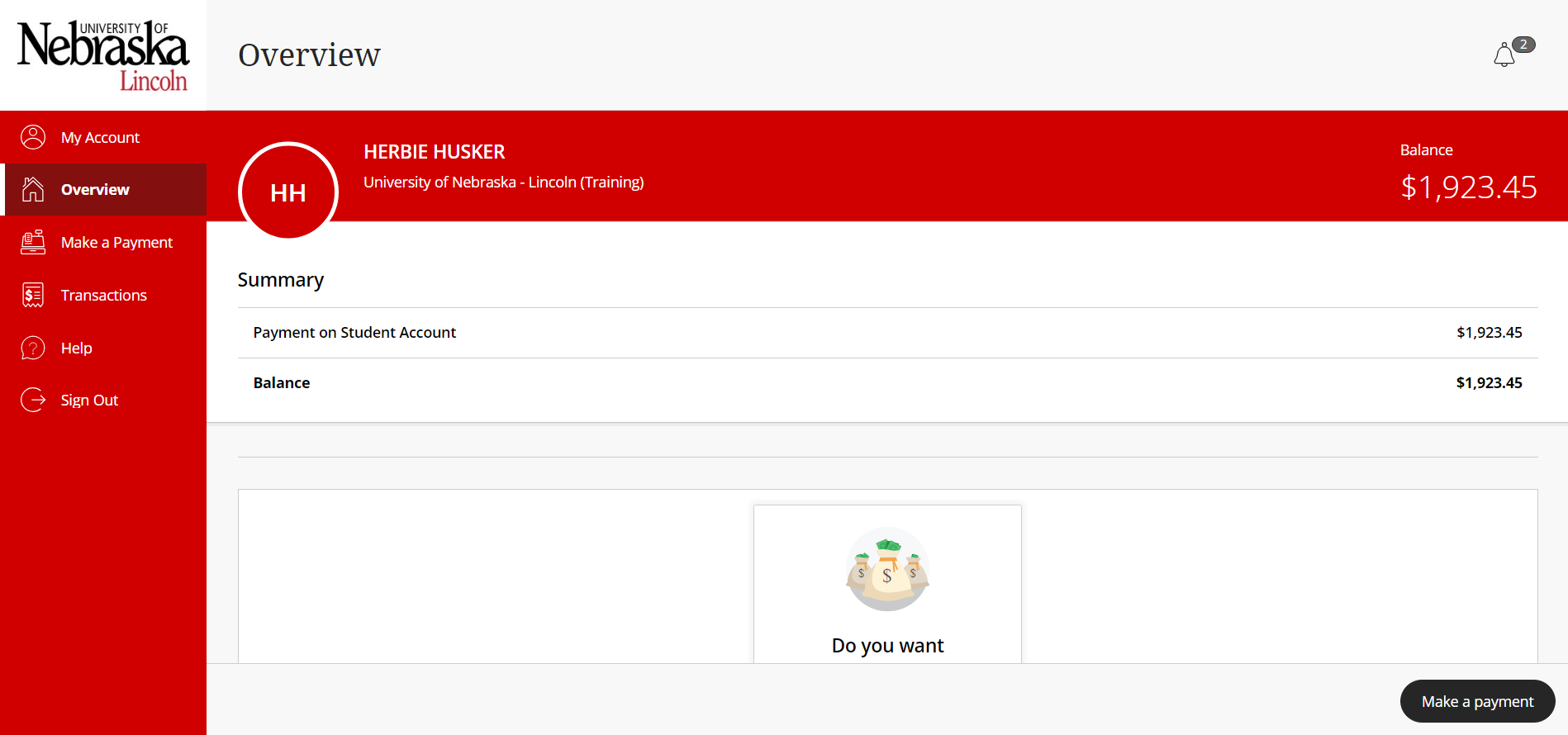
Select 'Make a payment' at bottom right of Overview screen.
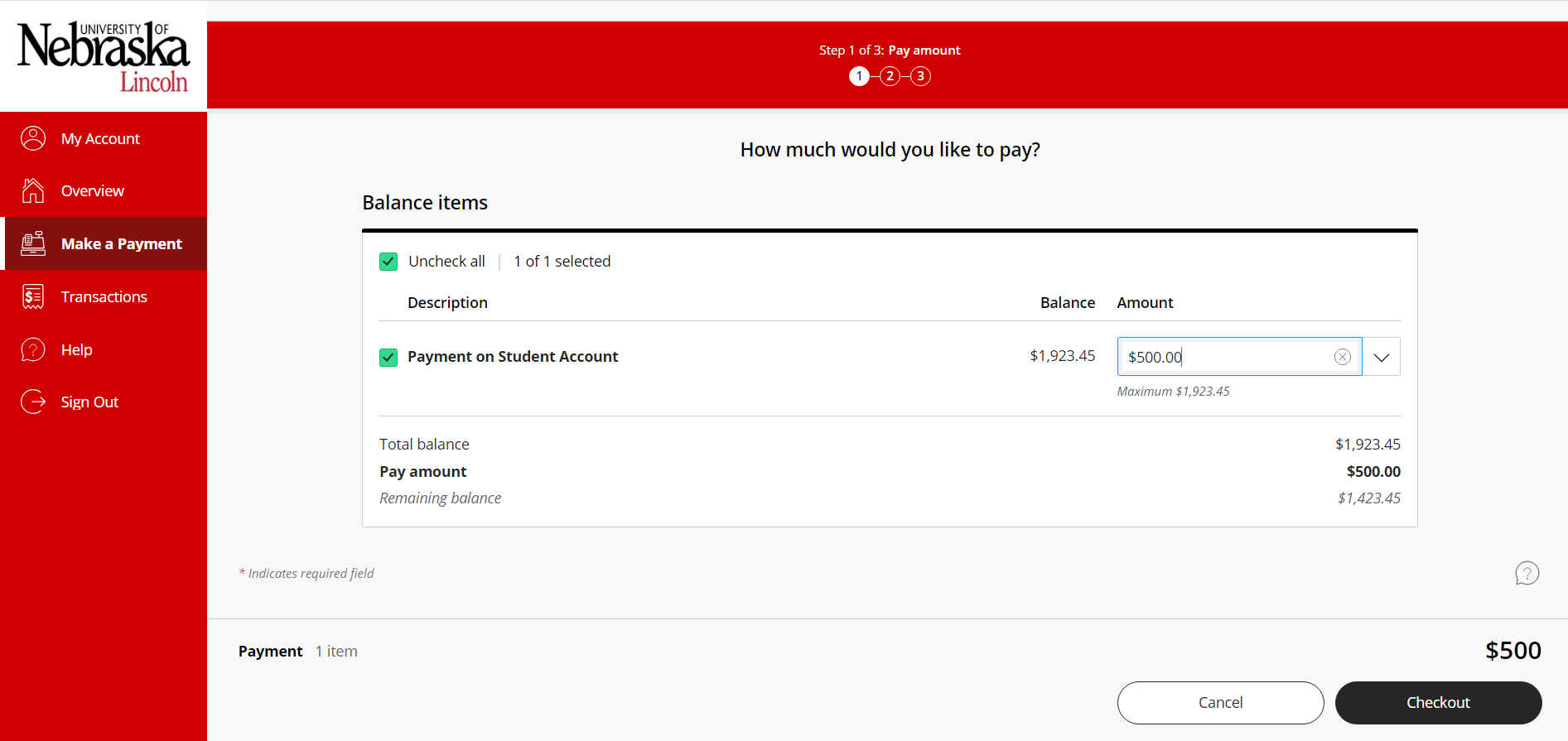
Enter the dollar amount you would like to pay in US dollars in the Amount field and click 'Checkout'. Your payment cannot exceed the current student account balance (which will be displayed on the page).
STEP 3 SELECT PAYMENT TYPE
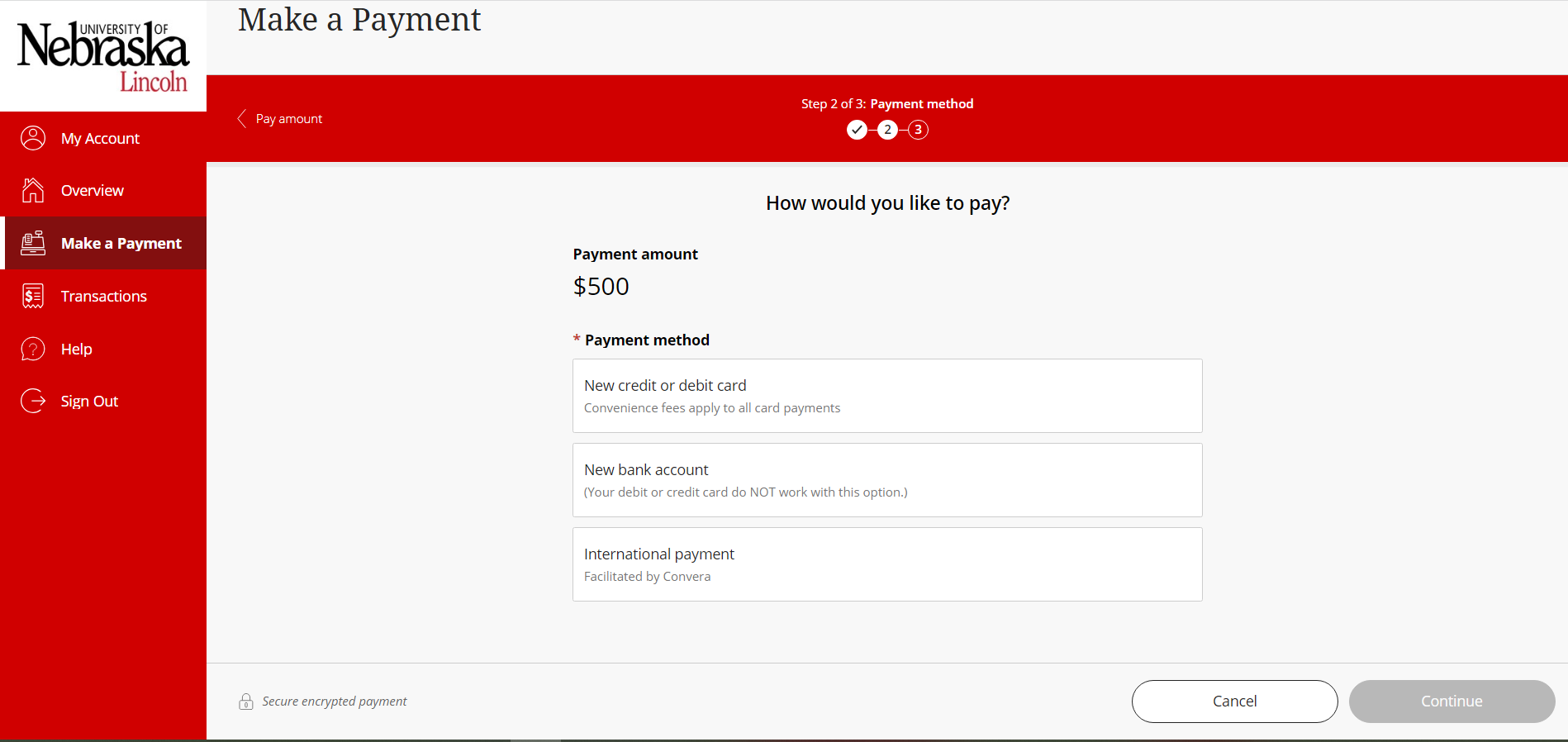
Select 'International payment' and enter the Country you will be paying from. At this point, the Payor will be presented with the various payments options available for this country. If Convera is chosen, you will be redirected to the Convera (formerly Western Union Business Solutions or WUBS) site to complete the payment details per Step 4 below.
STEP 4 ENTER FOREIGN CURRENCY DETAILS
Enter the payment details about your payment.
STEP 5 MAKE PAYMENT
Complete your payment transaction:
- Bank Transfer: receive payment instructions for online banking or paying direct through your bank
- In Person: receive payment instructions for an in-person transfer
- Online: select from a variety of providers
Please note: The quoted exchange rate is only valid for a specific time frame. A new quote must be obtained for each payment or if this time frame expires.
STEP 6 PAYMENT POSTS TO STUDENT ACCOUNT UPON FINAL SETTLEMENT
Once the payment is received by our processor, the payment will post to your student account and can be seen on MyRED. Until this settlement, the payment is only PENDING and will not be seen on MyRED.
CAUTION: A new transaction must be initiated in the UNL E-Payment System each time payment is made. Never use payment instructions from a previous transaction when making payment by foreign currency. Each payment is unique and needs to be properly identified or it will be delayed and possibly applied incorrectly.